In today’s digital era, the keyboard becomes a fundamental instrument for the majority of users interfacing with computers. For corporate Mac users, finding the perfect keyboard goes beyond functionality. Aesthetics, comfort, and seamless integration with your Apple ecosystem are equally important. This article aims to guide you through the process of choosing the best low profile keyboard for your Mac.
Benefits of Having a Low Profile Keyboard
Low profile keyboards offer several benefits, including:
- Ergonomics: They are designed to be more ergonomic, reducing wrist strain and decreasing fatigue during long typing sessions.
- Aesthetics: Their sleek design can be more visually appealing on a desk setup.
- Portability: These keyboards are easier to transport due to their slim form factor, making them ideal for users who travel or attend LAN events.
- Speed: Shorter key travel can lead to faster typing speeds, which is beneficial for both gaming and productivity.
- Comfort: Many users find low profile keyboards to be more comfortable, especially if they are accustomed to the feel of laptop keyboards.
- Space-saving: They occupy less space on a desk, allowing for a more minimalist and organized workspace.
- Noise reduction: Low profile keyboards tend to produce less noise, providing a quieter typing experience which can be advantageous in shared workspaces.
Features to Look for in Mac-Compatible Keyboards
Beyond the low-profile design, certain features ensure a perfect fit for your Mac:
- Wireless Connectivity: Unleash yourself from cable clutter with a reliable Bluetooth connection for a clean and wireless setup.
- Backlit Keys: Enhance low-light visibility and personalize your workspace with customizable backlighting options.
- Customizable Settings: Look for keyboards that allow you to adjust settings like key repeat rate and function key behavior to match your workflow seamlessly with your Mac.
- Mac-Friendly Layout: Ensure the keyboard features a layout that includes the Command and Option keys for effortless compatibility with your Mac.
Top Picks for Mac-Compatible Low Profile Keyboards
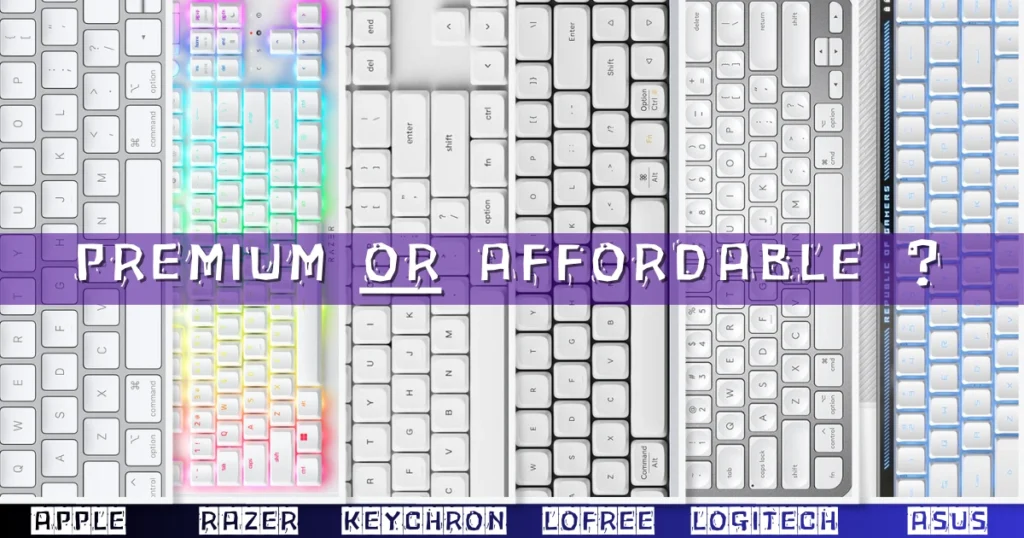
Here are some top picks for MacOS compatible premium low profile keyboards:
1. APPLE Portable Magic Keyboard:
- Wireless & Rechargeable: Connects to Mac, iPad or iPhone via Bluetooth and has a long-lasting internal battery.
- Universal Compatibility: Works seamlessly with Mac, iPad and iPhone.
- Comfortable Typing: Offers a precise and comfortable typing experience.
- Long Battery Life: Stays charged for about a month on a single charge (may vary by usage).
- Easy Pairing & Charging: Pairs quickly and charges with a USB-C to Lightning Cable (included).
- Compatibility: Requires macOS 11.3 or later, iPadOS 14.5 or later, iOS 14.5 or later.
2. KEYCHRON K5 Pro:
- Wireless & Wired: Connects to up to 3 devices via Bluetooth and has a USB-C wired connection.
- Customizable: Remap any key using VIA software and includes Mac and Windows keycaps.
- Low Profile: Ultra-thin aluminum body with low-profile Gateron switches for a comfortable typing experience.
- Ergonomic: Three adjustable typing angles and double-shot PBT keycaps for long-lasting comfort.
3. RAZER DeathStalker V2 Pro:
- Ultra-Fast Low-Profile Switches: Razer’s new low-profile switches offer quicker keystrokes with a long lifespan (70 million).
- Top-Tier Wireless Options: Choose between Razer HyperSpeed Wireless for lag-free gaming or connect to 3 devices with Bluetooth 5.0.
- Long-Lasting Battery: Up to 200 hours on a single charge, with a detachable Type-C cable for wired use while charging.
- Slim & Durable Design: Ultra-thin profile for comfort and a sturdy aluminum top plate ensure lasting use.
- Tough Keycaps: Laser-etched keycaps with a special coating for enhanced wear resistance.
- Media Control at Your Fingertips: Multi-function roller and media buttons for easy control of playback, volume, and more.
4. LOFREE Flow:
- Low Profile & Unparalleled Comfort: World’s first full POM Kailh switches for a self-lubricating, smooth typing experience that gets better over time. Gasket mount design absorbs impacts for a cushioned, comfortable feel.
- Premium & Durable Design: All-aluminum body for a sleek look and unmatched sturdiness.
- Hot-Swappable Keys: Customize your typing experience with your preferred switch type (tactile or linear).
- Immersive Visuals: RGB sidelit and backlit effects create a visually captivating typing environment.
- Durable, Vibrant Keycaps: Advanced dye-sublimation process creates highly detailed, long-lasting keycap designs.
5. ASUS ROG Falchion RX:
- Ultra-Compact Design: 65% keyboard layout with arrow and navigation keys in a slim 26.5mm profile.
- Fast and Accurate Keys: Pre-lubed ROG RX Low-Profile Optical Switches with centralized lighting for wobble-free, rapid keystrokes.
- Wireless Freedom: Connect via Bluetooth (up to 3 devices), 2.4 GHz ROG SpeedNova wireless, or wired USB.
- Declutter Your Desk: ROG Omni Receiver allows connection of multiple compatible devices with a single receiver.
- Effortless Control: Multi-function switch and interactive touch panel for media playback, volume, and lighting adjustments.
- Mac Friendly: Easily switch between Windows and macOS modes.
Budget-Friendly Options
Love the idea of a low profile keyboard for your Mac but worried about the price tag? Don’t sweat it! Here are some great options that offer excellent value for the price:
6. LOGITECH MX Keys Mini:
- Optimized for Apple: Works seamlessly with macOS, iPadOS, and iOS for maximum Mac productivity.
- Mac Layout & Shortcuts: Dedicated Mac keys for a familiar and efficient workflow.
- Perfect Stroke Typing: Comfortable keycaps with convenient smart keys like Dictation, Mute/Unmute, and Emojis.
- Minimalist & Portable: Compact design with ergonomic layout, perfect for on-the-go work.
- Smart Backlighting: Automatically adjusts to your environment and activates with hand proximity.
- Multi-Device Mastery: Connects and switches seamlessly between multiple Macs and iPads via Bluetooth.
- Long-Lasting Battery: Up to 10 days on a charge, 5 months with backlighting off (USB-C rechargeable).
- Sustainable Design: Made with recycled plastic and certified carbon neutral.
7. KEMOVE K68se:
- Mini 60% Design: Compact layout with dedicated arrow keys, delete, and function keys for practicality.
- Customizable Switches: Choose from red (quiet), blue (clicky), or brown (tactile) switches for your typing preference.
- Dazzling RGB: 19 backlight modes, 5 side light modes, and 16.8 million color options for a personalized light show.
- Smooth Gaming: Anti-ghosting technology for flawless in-game performance. Detachable USB-C cable for portability.
- Ergonomic Comfort: Low-profile keycaps minimize hand fatigue during long sessions. Perfect for gamers and typists alike.
8. HP 230:
- Quiet & Stylish Typing: Sleek, ergonomic design with low-profile chiclet keys for quiet and accurate typing.
- Wireless Freedom: Eliminate cord clutter and enjoy lag-free wireless connection for desktops and laptops.
- Shortcut Efficiency: Integrated number pad and easy-access keycap shortcuts to 12 functions.
- Long Battery Life: Up to 16 months of use with 2 included AAA batteries.
- Portable Design: Cordless, battery-powered design for use anywhere.
Conclusion
We broke down the must-haves like wireless freedom, glow-in-the-dark keys (because who doesn’t love those?), and the ability to tweak things to your liking. We even threw in some top picks, from fancy keyboards with all the bells and whistles to budget-friendly options that won’t break the bank.
We’d love to hear from you! What features are most important in your ideal low profile Mac keyboard? Have you tried any of the premium mechanical keyboards we mentioned? Let us know in the comments below!
FAQs
[rank_math_rich_snippet id=”s-a465d3bf-1d02-4348-9b74-35b1f5a16b6b”]